Introduction
Call centers rely on speed, precision, and reliable communication. If your business already uses Asterisk as your telephony system, the next logical step is to integrate Asterisk with CRM software. Doing so instantly streamlines your workflow, boosts productivity, and enhances the customer experience.
In this post, you’ll learn how integration transforms call center operations, how to set it up, and which best practices can help you avoid common issues.
Why Integrate Asterisk with Your CRM?
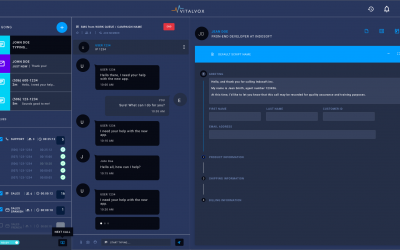
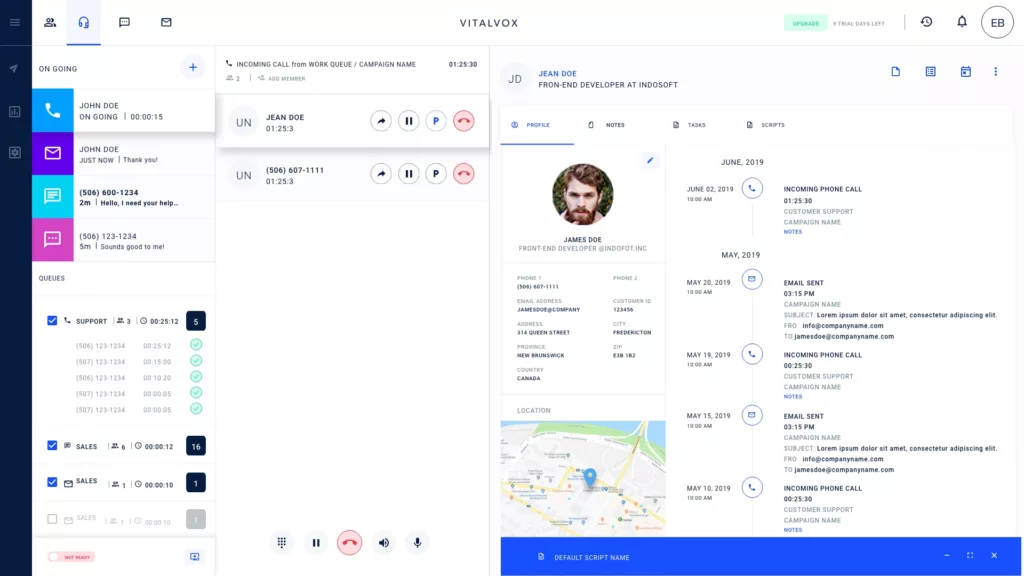
When you integrate Asterisk with CRM platforms, your team can manage customer interactions more efficiently. Instead of juggling multiple systems, agents receive caller details directly within the CRM interface. This eliminates time-consuming searches and minimizes data entry errors.
Moreover, the integration ensures that each call is backed by data, enabling agents to deliver faster and more personalized service. Ultimately, this leads to:
-
Reduced call handling time
-
Improved first-contact resolution
-
Centralized customer data
-
Increased agent productivity
Therefore, combining your communication system with your customer database becomes a smart move for growth-focused teams.
Key Features of Asterisk-CRM Integration
1. Click-to-Call Directly from CRM
With just one click, agents can initiate calls without dialing manually. As a result, they save time and avoid potential errors.
2. Automatic Call Logging and Recording
Every incoming and outgoing call is automatically documented in the CRM. Consequently, agents and managers can review interactions and build a complete customer history.
3. Real-Time Caller Information Pop-Ups
As soon as a call arrives, the CRM pulls up the caller’s profile. This allows agents to greet customers by name and immediately understand their previous interactions.
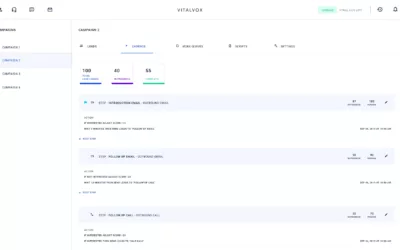
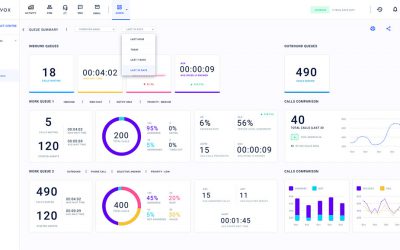
4. Insightful Call Reports and Metrics
Integration enables the collection of key metrics, such as call duration, response time, and resolution status. These insights, in turn, guide improvements in agent performance and customer satisfaction.
How to Integrate Asterisk with CRM: Step-by-Step
Successfully connecting your phone system with your CRM involves several steps. Let’s break them down clearly.
Step 1: Select a Compatible CRM
Start by confirming that your CRM system supports Asterisk integration. Popular platforms like Zoho, Salesforce, HubSpot, and Vtiger often offer built-in or third-party connectors.
Step 2: Use Middleware or Integration Tools
Next, consider using integration tools such as FreePBX CRM Link, GoAutoDial, or custom API connectors. These solutions bridge the gap between Asterisk and your CRM with minimal configuration.
Step 3: Secure API Authentication
Before syncing data, you must authenticate securely using API keys or OAuth tokens. Be sure to follow best practices for access management and data protection.
Step 4: Map Data Fields Appropriately
After connecting the systems, map essential fields—such as contact names, phone numbers, call notes, and outcomes—to your CRM database. Doing this ensures a smooth flow of information.
Step 5: Test the Integration and Train Your Team
Finally, conduct thorough testing to confirm that calls are logging properly and screens are popping up as expected. Once verified, train your team to fully utilize the new features.
Avoiding Common Integration Pitfalls
While integration offers many benefits, a few missteps can cause friction. Here’s how to stay on track:
-
Version Compatibility Issues: Always verify software versions before installing connectors.
-
Security Oversights: Use encrypted connections and manage access rights carefully.
-
Low User Adoption: Provide clear training materials and support to ease the transition.
-
Data Sync Errors: Regularly audit the connection to catch any mapping mismatches early.
With proper planning, most of these challenges can be avoided entirely.
Best Practices for Smarter Workflows
To get the full benefit of Asterisk-CRM integration, follow these practical tips:
-
Automate routine tasks, such as call logging, follow-ups, and case creation.
-
Leverage analytics to understand patterns in call behavior and customer needs.
-
Keep both systems updated, as outdated software often causes integration issues.
-
Encourage feedback from agents, since they are the first to spot inefficiencies.
-
Review integration performance regularly to ensure it continues meeting your needs.
Over time, these best practices lead to smoother operations and better results.
Frequently Asked Questions (FAQs)
1. Which CRMs are best for integrating with Asterisk?
Top CRMs like Zoho, Salesforce, HubSpot, and Vtiger offer robust support for Asterisk integration. Their APIs and plugins simplify the process.
2. Is technical knowledge required for setup?
Not necessarily. While some setups may need a developer, many tools offer plug-and-play options suitable for non-technical users.
3. Can missed calls be logged automatically?
Yes. Most integrations allow missed calls to be logged in the CRM, often triggering follow-up tasks or alerts.
4. Is the integration secure?
Definitely—if done correctly. Use secure APIs, encrypted data channels, and proper authentication methods.
5. How long does setup typically take?
Basic integrations can be completed in a few hours. More advanced customizations might take a few days, depending on your system complexity.
Final Thoughts: Unify Your Systems for Success
In today’s fast-paced customer service environment, disconnected tools slow your team down. When you integrate Asterisk with CRM software, you connect two critical systems to work in harmony. As a result, your agents handle calls more efficiently, your managers gain visibility into performance, and your customers receive consistently excellent service.
Contact Us
Need help integrating Asterisk with your CRM? Our experts are ready to assist—from planning and configuration to full implementation.
Contact us now to start your integration journey.